August 18th, 2026
Improved
Fixed
KULG AI Training assistant: rebuilt smarter 🔮
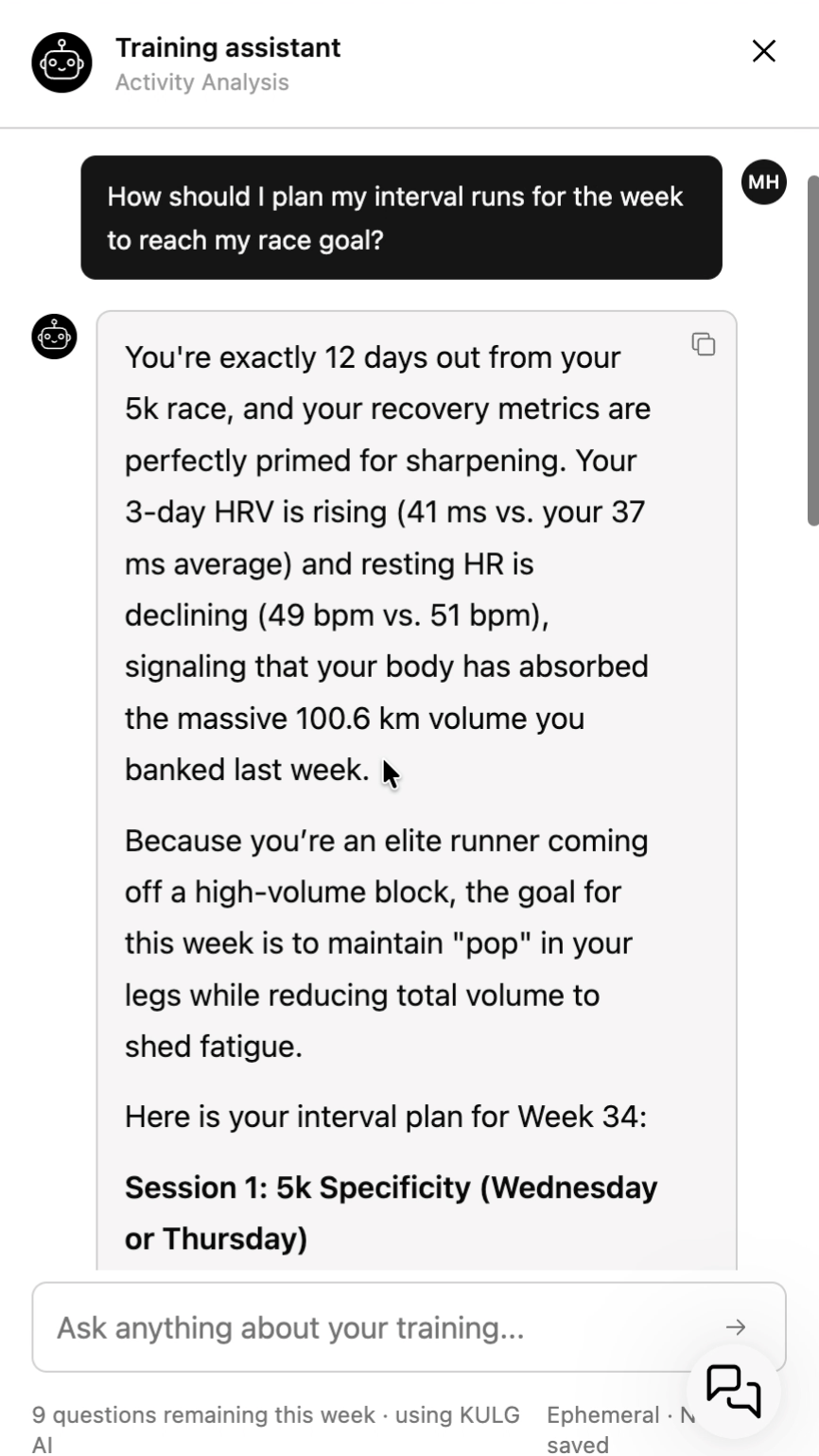
We've rebuilt how KULG AI Training assistant and AI insights work under the hood. Instead of giving you an answer from a single prompt, the Training assistant can now actively pull all your data — activities, recovery, HR zones, injury notes, upcoming plan et al — before it answers.
Free plan gets more room to ask 🤩
Athletes on the Free plan who bring their own AI key can now ask 10 weekly questions, up from 3. Free users can also have back-and-forth follow-up conversations with the assistant, a feature that was previously available only on paid plans.
We've made several improvements to the AI Training assistant in this release:
More comprehensive answers. The assistant can now actively look up your activities, HR zones, injury notes, and upcoming plan before it responds, instead of answering from a single pass over your profile.
Answers match your activity type. Distance, duration, and other stats are now calculated correctly per activity type.
Injury history is read more clearly. The assistant now only treats an injury as active if it's current or was logged recently in your Athlete profile. Mentioning an old injury once during onboarding won't make it treat it as an ongoing issue forever.
Fixed a visual glitch where the assistant unexpectedly closed mid-conversation, and you may have lost your answer.
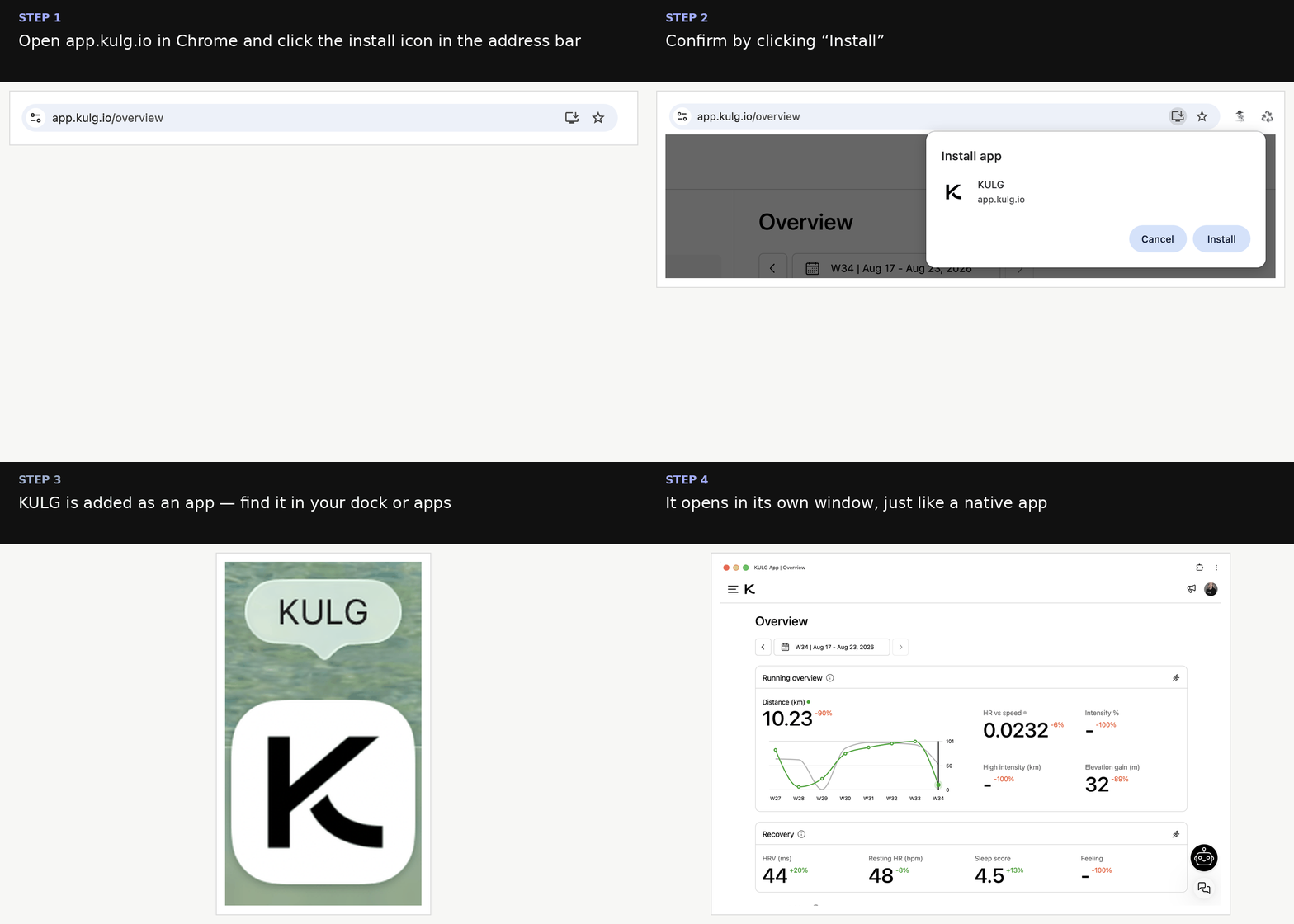
New: install KULG as a desktop app
You can now install KULG on your computer just like a native app — no more digging through browser tabs.
Open app.kulg.io in Chrome and click the install icon in the address bar.
Confirm by clicking Install.
KULG is added to your dock/apps, and opens in its own window from then on.
Other fixes and improvements
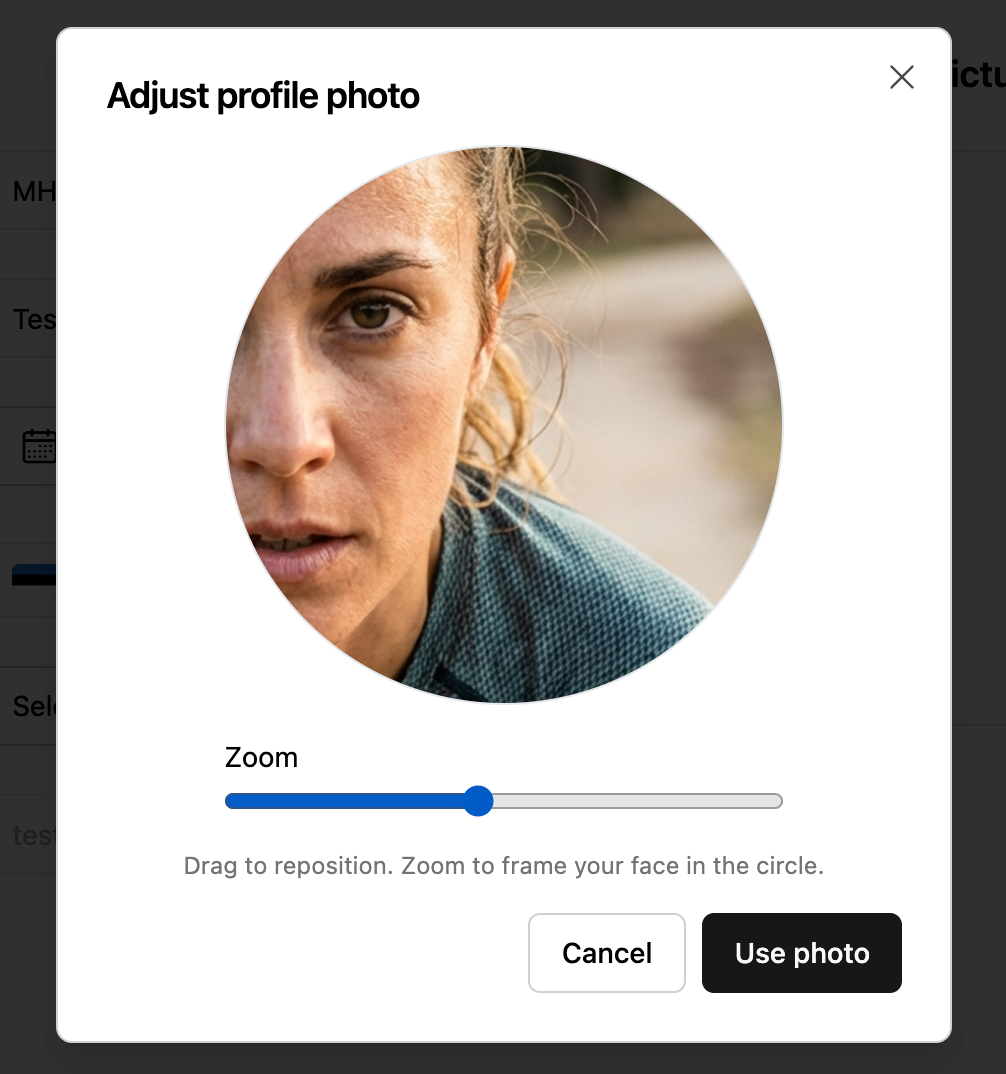
Profile photo upload now has a crop & zoom tool, so you can frame your photo exactly how you want before saving.
Fixed an issue that could block you from saving a lab result when your max heart rate changed but you didn’t want to update your HR zones.
August 14th, 2026
Fixed
While we've been working behind the scenes on some big new changes coming to KULG App (workout splits, training plans, and Polar are coming soon! 🤫), we used the summer to focus on something just as important: fixing bugs, improving stability, and polishing the existing experience.
Here's what we've already improved.
🛠️ Fixes & improvements
Dashboard & Overview
Picking a single date on Activities or Dashboard now applies that day as your selected range, instead of leaving the selection unchanged. Tap twice to get only one day.
Fixed an issue where the weekly view wasn't available for certain years when This year was selected as the date range — it now shows consistently no matter which year you select.
Fixed an issue on the free plan where, after viewing a previous month, you couldn't navigate back to the current month.
Fixed an issue where coaches viewing an athlete's dashboard couldn't use the arrow navigation when the selected time frame had no activities.
Fixed a display issue where the date picker text overflowed its button on Safari when zoomed out.
Fixed an issue on mobile where selected date ranges weren't highlighted correctly.
Insights
Fixed an issue where tapping an insight from the list sometimes opened a different one than expected. You can also now browse and navigate through all of your insights.
Activities
When editing an activity, opening a new dropdown now automatically closes any previously open one.
Mobile (iOS)
Fixed an issue in the coach Planner where the distance input font was too small, which caused the screen to zoom in and break the layout.
June 26th, 2026
New
Improved
Fixed
⚠️ Between July 1 and July 3, some Strava activities may not have been synced to KULG due to recent changes to the Strava Developer Program's policy. The issue has now been resolved. To sync missing activities to KULG, just edit and save your Strava activity, and that will bring the activity to KULG.
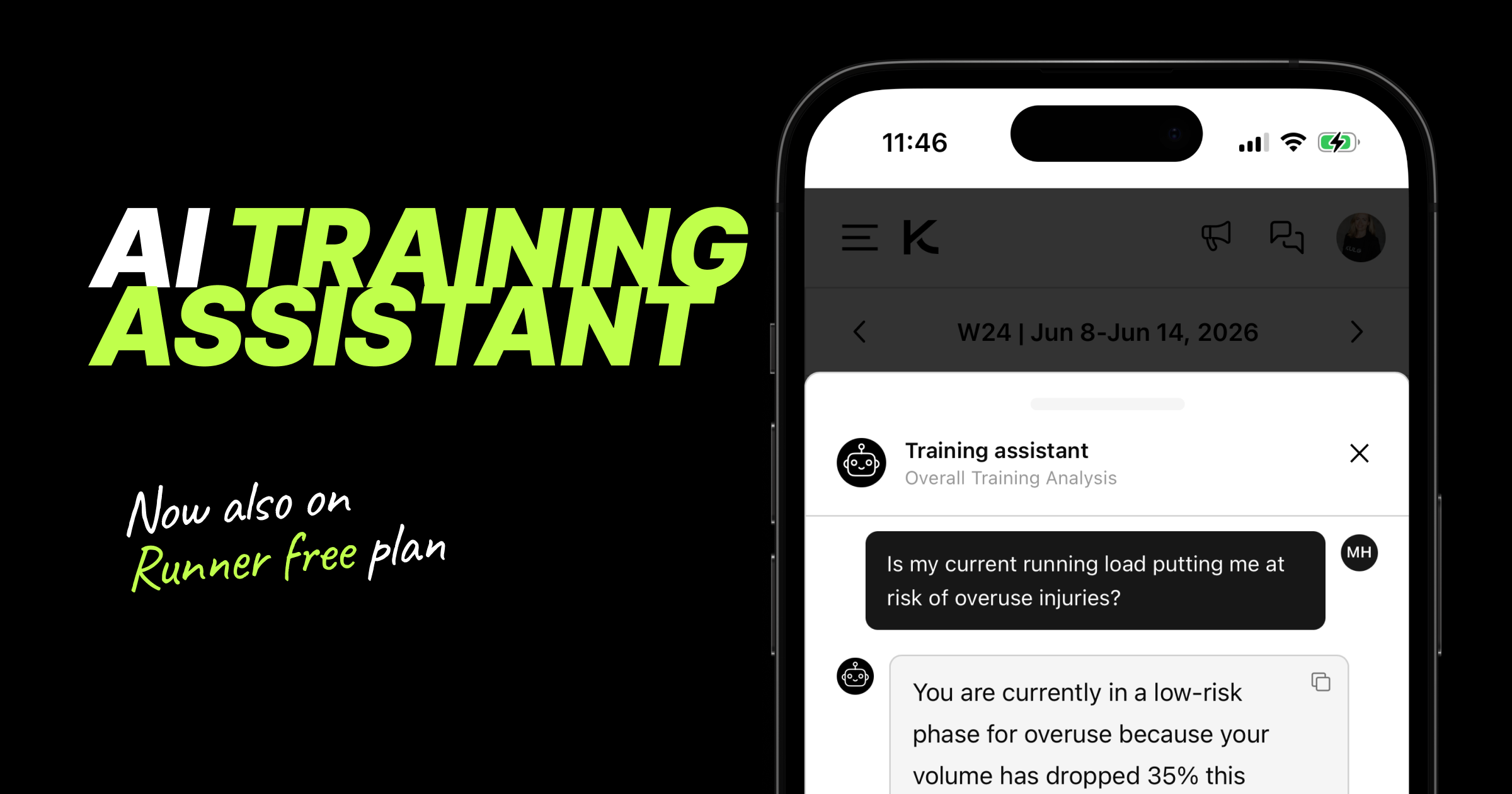
🤖 Training assistant (now available on free plan for runners)
We've made several improvements to KULG context-aware Training assistant on both the Overview and Activities pages.
New improvements:
KULG AI Training assistant is now also available to free plan users
Training assistant remembers previous responses within the same session to provide more contextual conversations
Training assistant considers all the input from Settings » Athlete profile
You can now ask a question immediately in the first step on Runner paid plan
🏃 Running club
You can now associate your account with a running club. Select an existing club or create a new one. This will enable you to see your club in the club leaderboard on app.kulg.io/clubs.
For coaches:
Add your running club under Settings → Account.
For runners:
Add your running club under Settings → Athlete Profile → Training & Goals.
🚀 Other updates
We've improved the web app experience for free users, making it easier to understand which features are available on free and paid plans. Premium features are now more highlighted on free plan, with direct links to upgrade when you're ready.
Runners will now receive a push notification after an activity is synced to KULG, encouraging them to log their feeling, RPE, and notes. These inputs help the Training assistant deliver more personalised recommendations. Notifications are limited to one per 15-minute period and are only sent for activities completed within the last 12 hours.
Fixed an issue where first and last names were reversed when signing in with Google on the mobile apps.
Numeric input fields now automatically open the numeric keyboard on mobile, making data entry faster and easier.
You can now add or update your profile image from Settings » Account in the KULG iOS and Android apps. We also fixed an issue that prevented users from removing an uploaded profile picture.
If you accidentally started creating an account with a wrong email address instead of logging in, you can now sign out of the onboarding process and log in with your existing account.
June 4th, 2026
New
Improved
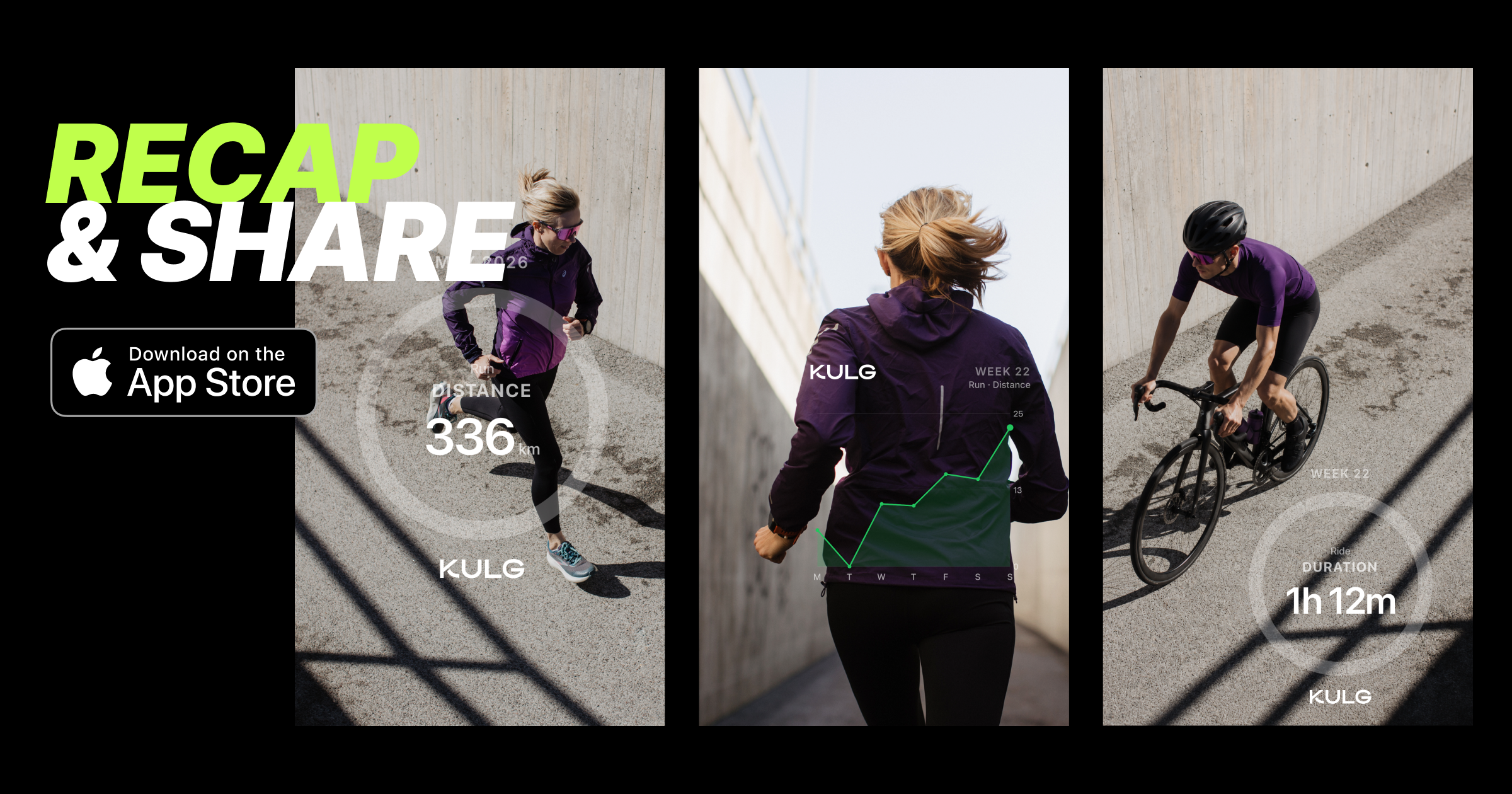
Graph sharing or Recap now available for runners on iOS 📊 📤
Turn weeks, months, or even a full year of training into a shareable visual recap of your progress. Download pie, line, or bar charts across 20+ activity types with white, black, or transparent backgrounds, and easily overlay them on your own images for sharing.
Download KULG iOS version 0.1.5 to use the recap feature.
 |  |  |
Watch the full video on how to use Recap on iOS
Other updates 🚀
KULG Training assistant is now live on free Runner accounts as well. On the free version, runners can ask up to 3 questions per week. » Read more on Training assistant
We updated the Training assistant prompt to give more personalised guidance and consider the full Athlete profile info.
May 28th, 2026
New
Improved

Training, race goals & injury history now in Athlete profile 💪🎯❤️🩹
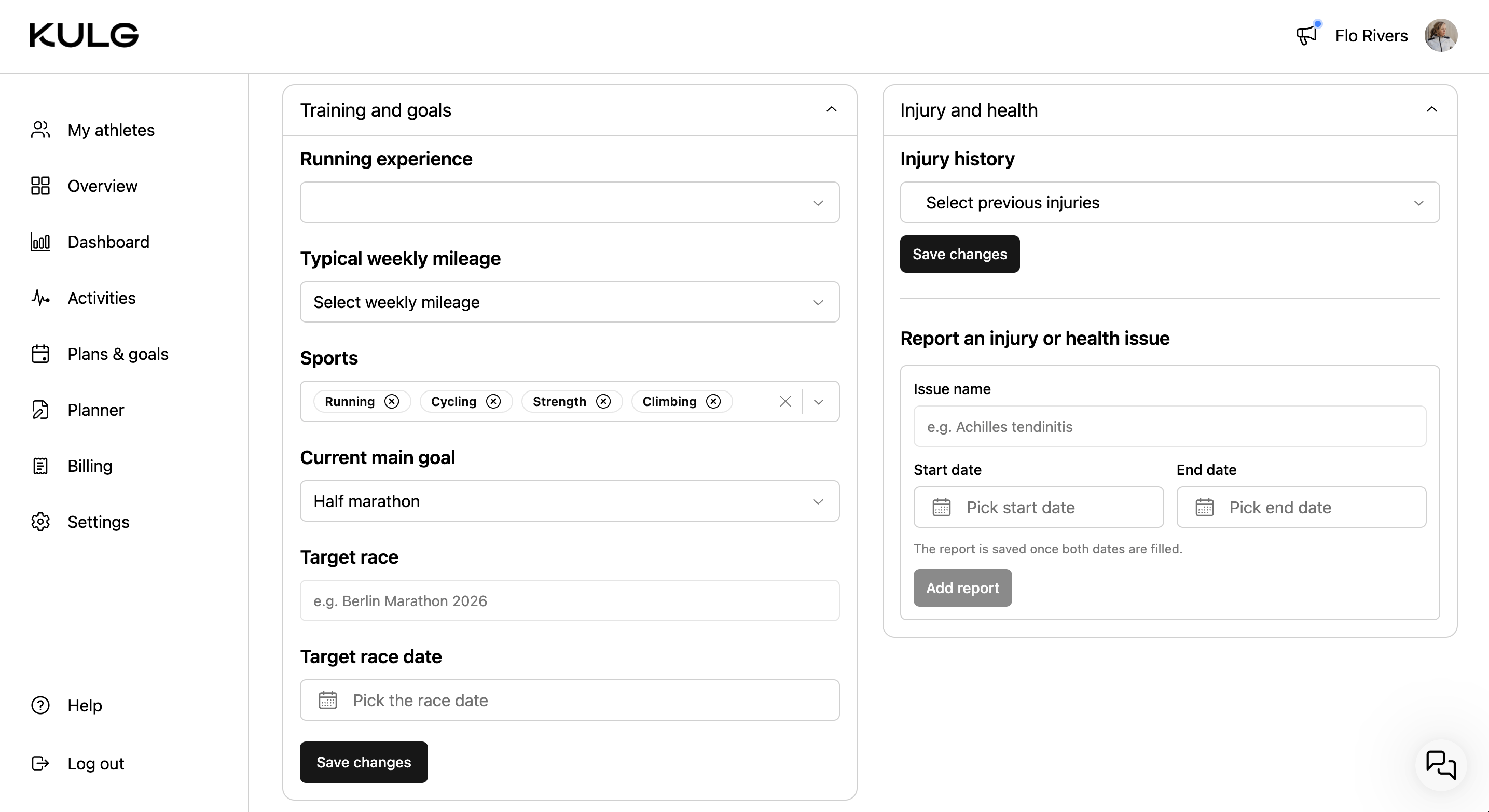
Runners can now define their training profile, current race goal, and injury history under Settings » Athlete profile. This makes the Athlete profile section complete to provide fully context-aware guidance for runners.
💡 The more information you add to your Athlete profile, the better KULG Training Intelligence can adapt recommendations to your individual physiology, performance, and recovery.
Training & goals
You can view and edit the answers you gave during onboarding - your running experience, weekly mileage, sports, current main goal, and define your target race (date and name).
Injury & health
You can view and edit the answers you provided about your injury history during onboarding, and report an injury or health issue by specifying its name and the time frame in which it occurred.
Other updates 🛠️
We improved the activity history import and detection flow to make activity detection more accurate. Running activities are now detected after the first 50 run activities are loaded as “Run” type.
Enhanced the Training Assistant prompt to generate more accurate, relevant, and higher-quality responses.
May 20th, 2026
New
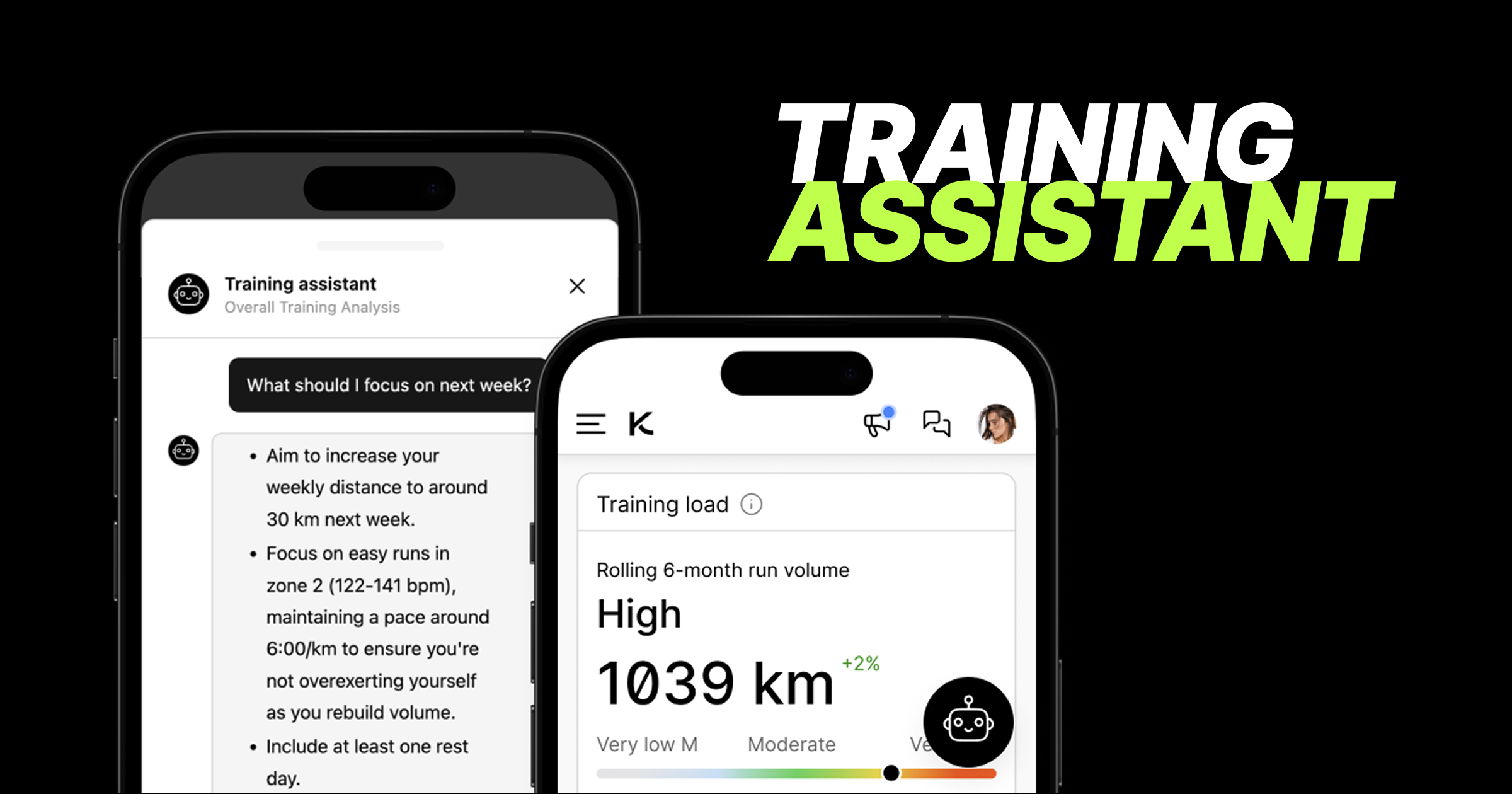
New feature: KULG Training assistant! 🚀 🚀 🚀
Introducing KULG AI Training assistant - now available for subscribed runners, with free account access coming shortly. Runners can now get instant, evidence-based guidance about their training and recovery directly in KULG.
💡 The more information the runner adds to Athlete profile and workouts (notes and effort-ratings, syncing both activities and recovery data, adding heart rate zones, lab results, PBs (and soon also race goals)), the smarter the answers are because the more context the Training assistant has to consider.
To give the most accurate advice, the assistant analyses:
Performance metrics: Training data, HR zones, and personal bests.
Health & recovery: Subjective feedback, recovery metrics, and lab results.
Profile details: Onboarding info, including goals and injury information.
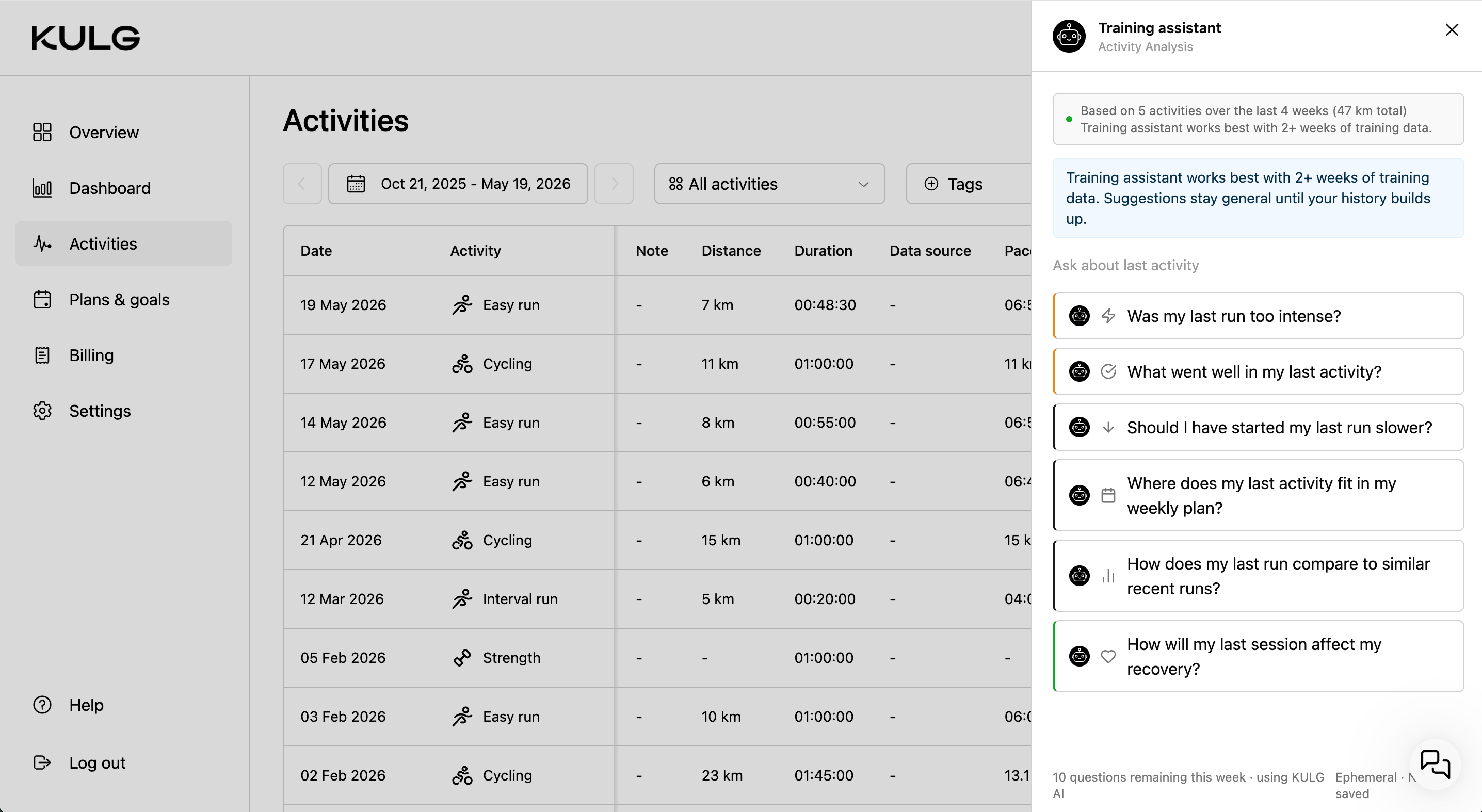
How to use it 💬
Tap to chat: Look for the black Training assistant widget on your Overview (for overall training analysis) and Activities (for recent activity analysis).
Consent: You’ll be asked to give consent the first time you open the widget.
Predefined or custom: You can choose from a set of quick, predefined questions and after that type your own.
Keep it brief: Messages are limited to a maximum of 500 characters, and you can ask one question at a time (no parallel typing).
🔒 Privacy first: Closing the chat panel resets the conversation. Nothing is saved permanently, but you can easily copy any answer by tapping the Copy icon. Chats will also automatically reset if left idle for 30 minutes.
🔑 Access & weekly limits
While you can use the shared KULG key, you can also connect your own API key and choose your preferred LLM model under Settings » AI to unlock better models and higher question caps.
⚠️ Free plan note: All free plan users globally share a daily capacity pool. If the global limit is reached, you may see a "capacity full" message until the pool resets the next day.
May 18th, 2026
New
Improved
Fixed

Personal bests 🏆
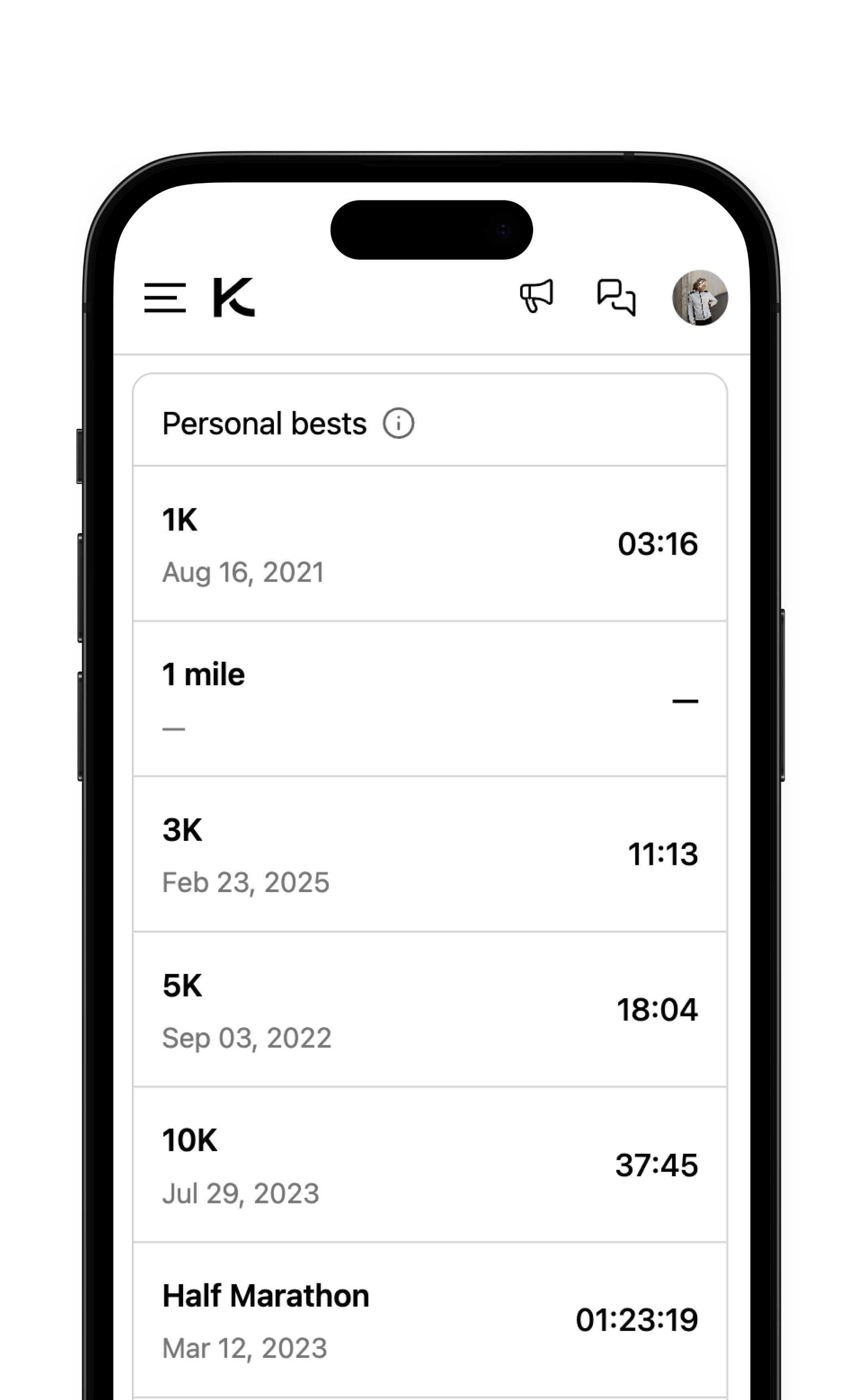
Runners can now add the personal best times of their race distances to KULG, and this information is considered by KULG Training Intelligence. Go to Settings » Athlete profile and scroll down to Personal bests.
Improved activity detection engine 🔍
We’ve made a number of updates to the running activity type detection logic.
We reworked the activity classification with a clearer rule hierarchy and first-match logic for more consistent results, adding stronger validation and edge-case handling across all activity types.
Improved detection for walk-run, race, interval run, tempo run, long run, and hill run
Activity types now require multiple supporting signals for detection - activities with missing or unreliable data are handled more conservatively to reduce false positives
Heart rate, cadence, RPE, pace, elevation, and titles are now combined more intelligently to improve classification accuracy
Activities are now compared against each athlete’s recent running baseline when enough data exists
Added safer fallback thresholds for newer users without historical data
Improved how edge cases and missing data are handled
Expanded provider-specific mappings for Strava and Garmin
Other updates 🛠️
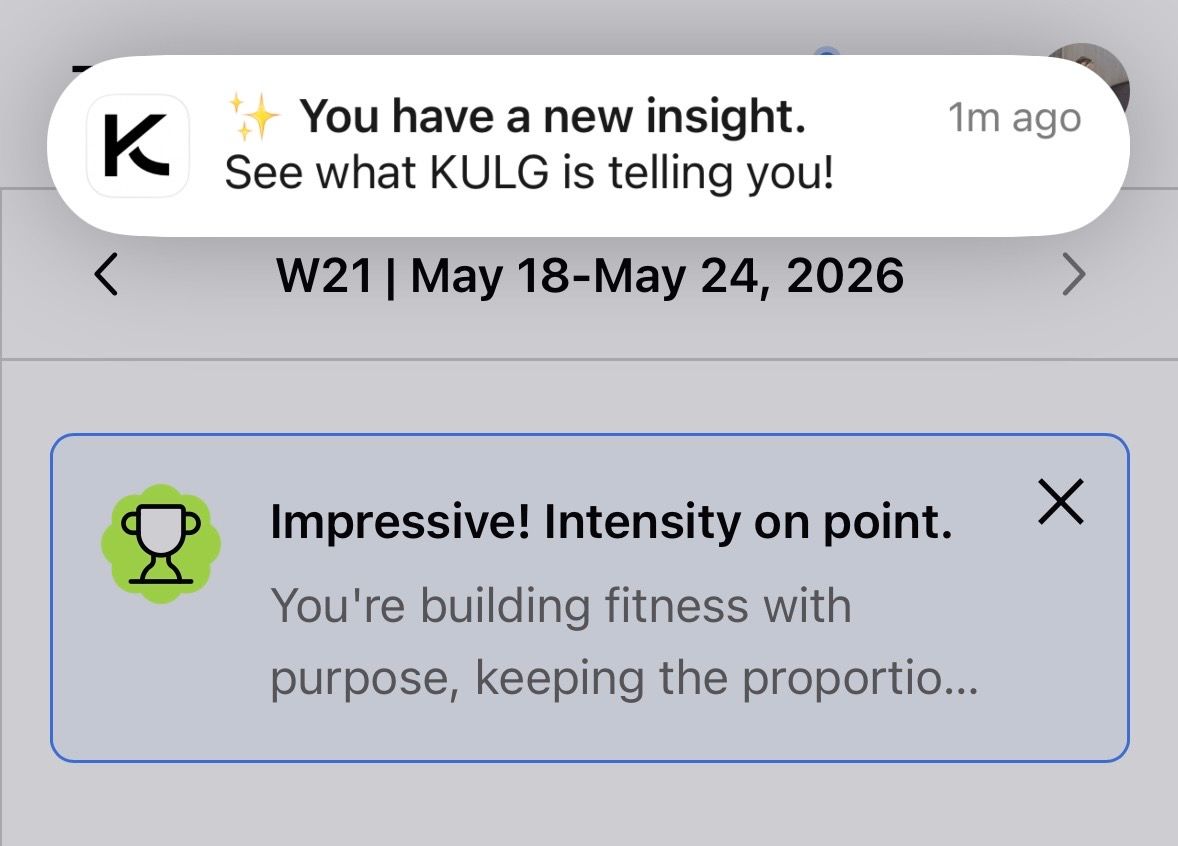
Mobile apps now send notifications when you’ve received a new insight from KULG to make sure you don’t miss important updates.
Fixed an issue related to Apple token expiry, which caused issues with Apple signin on iOS app.
April 23rd, 2026
New
Improved

Athlete profile ✨
We’ve launched a new Athlete profile page in Settings for runner accounts, designed to power KULG Training Intelligence in providing personalised training guidance. The profile now includes the new Performance & physiology section as well as the HR zones (PBs are coming soon!).
Under the Performance & physiology section, athletes can add and manage key data, including their physical profile (weight, height, body fat %, resting HR), lab metrics (max HR, lactate threshold HR, VO₂max), threshold pace data, and hematology values (hemoglobin, hematocrit). Entries can be saved by date and edited or deleted at any time.
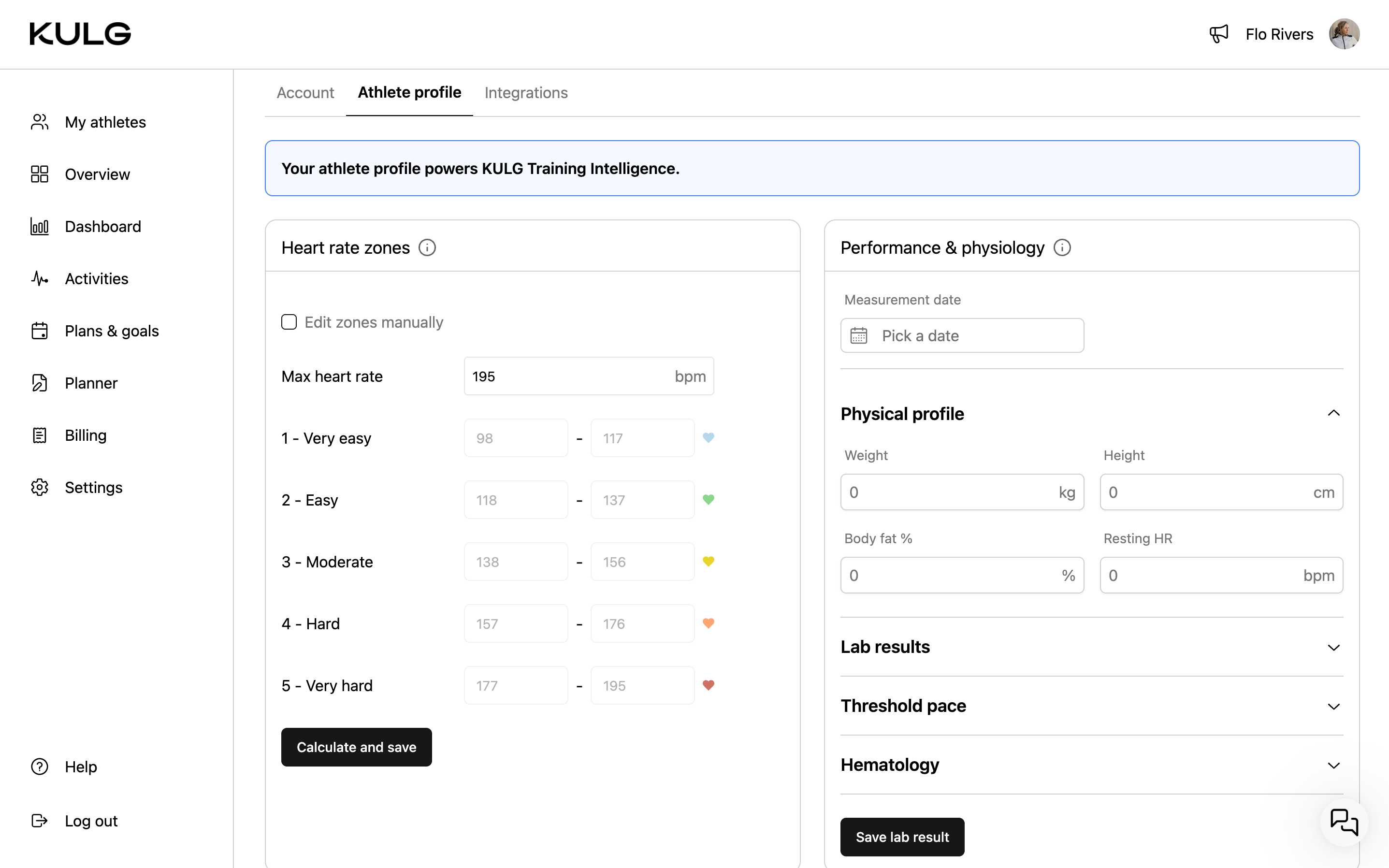
This data is used to generate more tailored weekly and monthly AI insights and will power future adaptive training guidance. The more complete your profile and the more you add feedback to your activities on how you felt during training, the more precisely KULG can adjust recommendations to your individual physiology, performance, and recovery.
Max HR, lactate threshold, and VO₂max are also used to calibrate heart rate zones. If unavailable, zones are estimated from activity history unless manually set. For best accuracy, we recommend using lab-tested values where possible, as wearable estimates (especially VO₂max) may be less precise.
NB! For aerobic threshold (AeT), include heart rate corresponding to LT1 (first lactate/ventilatory threshold). For anaerobic threshold (AT), include both heart rate and pace corresponding to LT2 or the lower end of the threshold range.
Improved coach experience ⏱️
We’ve now also updated the experience for coaches who use KULG only to collaborate with their athletes, not to track their own training. This example includes the experience for coaches who have subscribed to KULG.
Other updates 🛠️
Coaches can now remove (unfollow) an athlete from My athletes on desktop by clicking on the three dots and selecting Remove athlete. On confirmation, the athlete is removed from the list, and the coach’s email is also removed from the athlete’s Settings » Account.
We’ve also updated runner onboarding to capture additional context, including an athlete’s typical weekly mileage and injury history, to better inform personalised insights.
April 17th, 2026
New

It may be a small step for some, but it’s a big milestone for us - KULG can now send notifications on both iOS and Android 🔔
Our first notifications are live, starting with features that make coach collaboration smoother. Once you enable notifications in KULG mobile app, you’ll be updated when:
You receive a new weekly plan from your coach
Your training time or location is updated
What’s coming next:
Notifications for new insights from KULG
The ability to manage your notification preferences
April 9th, 2026
New
Improved
Fixed

📈 Dashboard: Multi-sport graphs 🚴 🏊
You can now view different sports directly on the Dashboard 🤩 Simply select your sport of choice to explore activity-specific insights beyond running. All activity types supported by KULG are now visible on charts.
When a sport is selected, sport-specific graphs replace the default running charts
Each chart displays the selected sport in its corner for easy reference
Running charts remain the default view on page load
Coming soon: paid users will be able to fully customize their Dashboard with different activity types
🚴 Cycling
Cycling activities now display dedicated graphs (with cycling icon): activity summary (distance, duration, intensity), distance, speed (km/h), heart rate, power, intensity, HR zones, duration, feeling, sleep, recovery.
🏊 Swimming
Swimming activities now display dedicated graphs (with swimming icon): activity summary (distance, duration, intensity), distance (m), pace (min/100m), heart rate, intensity, HR zones, duration, feeling, sleep, recovery.
🎿 Other distance sports
Supported: skiing, orienteering, skating, walking, hiking
Each includes sport-specific icons and the following graphs: activity summary (distance, duration, intensity), distance, pace, heart rate, intensity, HR zones, duration, feeling, sleep, recovery.
🏋️ Other sports
Supported: strength, crossfit, yoga, pilates, surfing, plyometrics, mobility, padel, tennis, football, basketball, volleyball, dancing, climbing, other
These activities include: activity summary (duration), heart rate, duration, feeling, sleep, recovery.
🛠 Fixes & improvements
Prevented cases where high-intensity distance exceeds total activity distance, which previously caused errors in the intensity % chart
Training blocks now feature an improved calendar experience. If a block is opened outside the current week, no timeframe is preselected to prevent errors
Added sport icons to the Planner dropdown. Fixed an issue where editing a copied or newly created plan caused duplication or removed the plan name
On mobile, activity selection and tags are now positioned above the activity summary for a clearer multi-sport experience
Calendar updated with April race events
Fixed an edge case where empty duration values were displayed as
-1:-1:-1in the Overview