August 18th, 2026
Improved
Fixed
Release 0.12.10
KULG AI Training assistant: rebuilt smarter 🔮
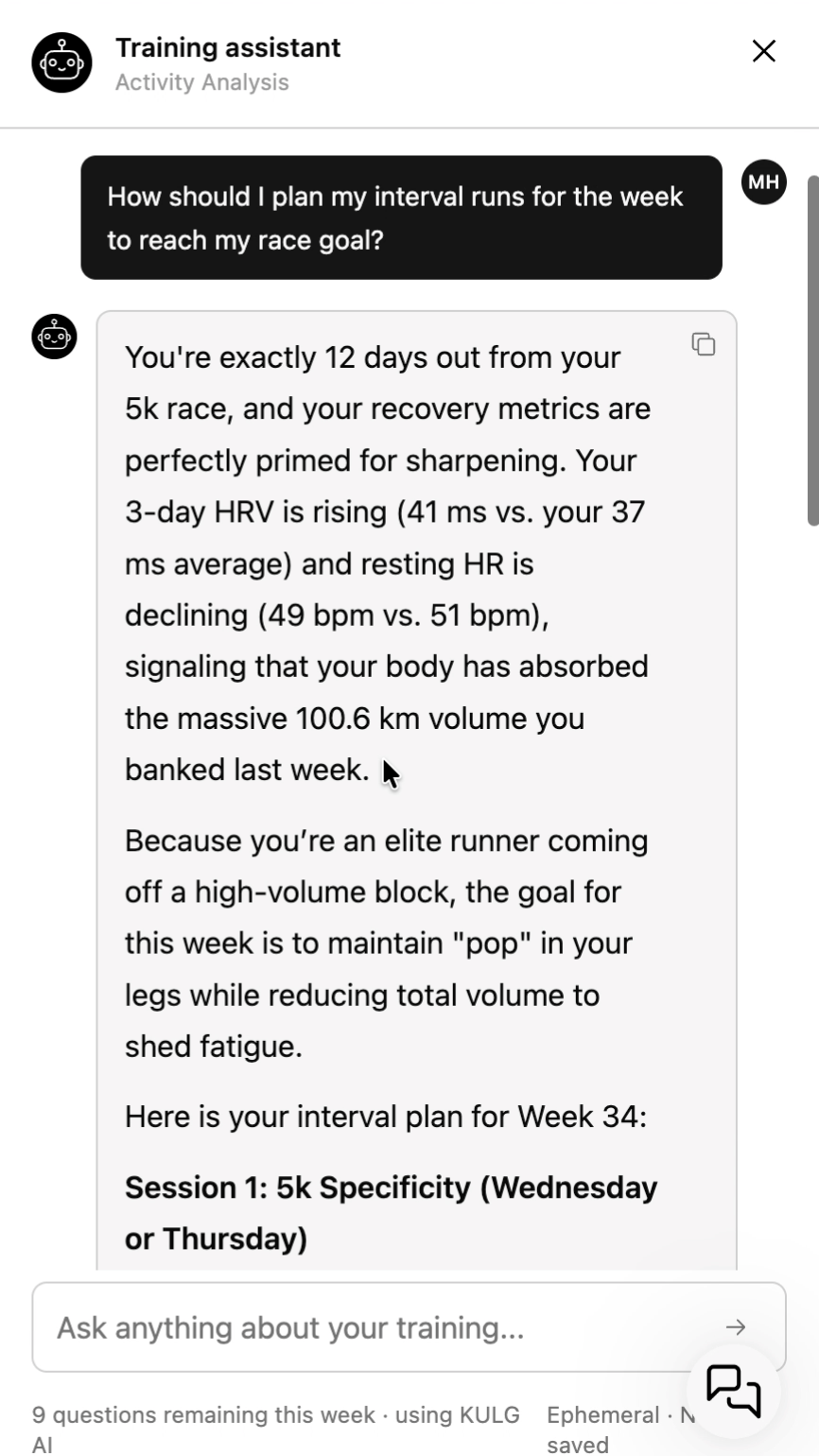
We've rebuilt how KULG AI Training assistant and AI insights work under the hood. Instead of giving you an answer from a single prompt, the Training assistant can now actively pull all your data — activities, recovery, HR zones, injury notes, upcoming plan et al — before it answers.
Free plan gets more room to ask 🤩
Athletes on the Free plan who bring their own AI key can now ask 10 weekly questions, up from 3. Free users can also have back-and-forth follow-up conversations with the assistant, a feature that was previously available only on paid plans.
We've made several improvements to the AI Training assistant in this release:
More comprehensive answers. The assistant can now actively look up your activities, HR zones, injury notes, and upcoming plan before it responds, instead of answering from a single pass over your profile.
Answers match your activity type. Distance, duration, and other stats are now calculated correctly per activity type.
Injury history is read more clearly. The assistant now only treats an injury as active if it's current or was logged recently in your Athlete profile. Mentioning an old injury once during onboarding won't make it treat it as an ongoing issue forever.
Fixed a visual glitch where the assistant unexpectedly closed mid-conversation, and you may have lost your answer.
New: install KULG as a desktop app
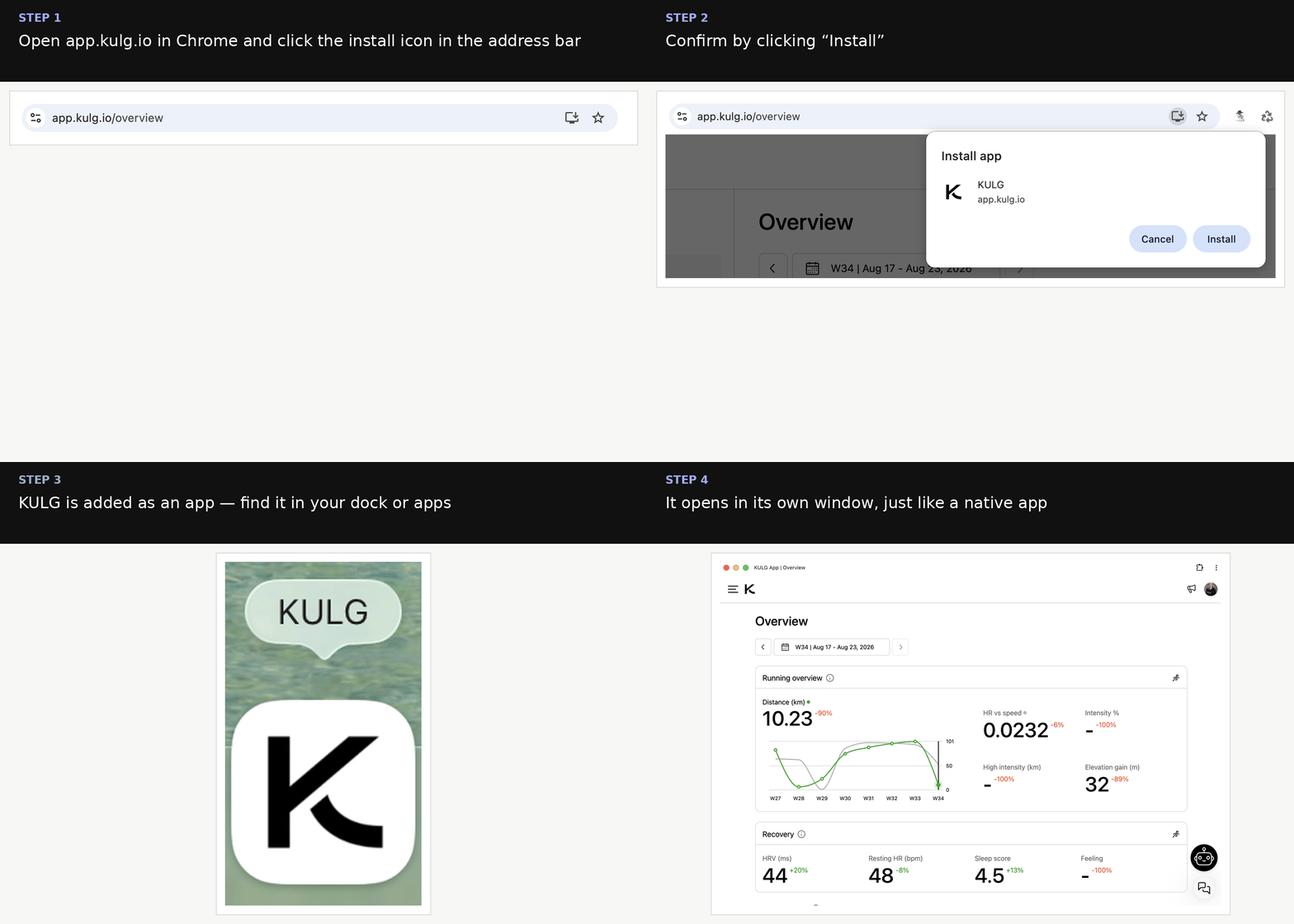
You can now install KULG on your computer just like a native app — no more digging through browser tabs.
Open app.kulg.io in Chrome and click the install icon in the address bar.
Confirm by clicking Install.
KULG is added to your dock/apps, and opens in its own window from then on.
Other fixes and improvements
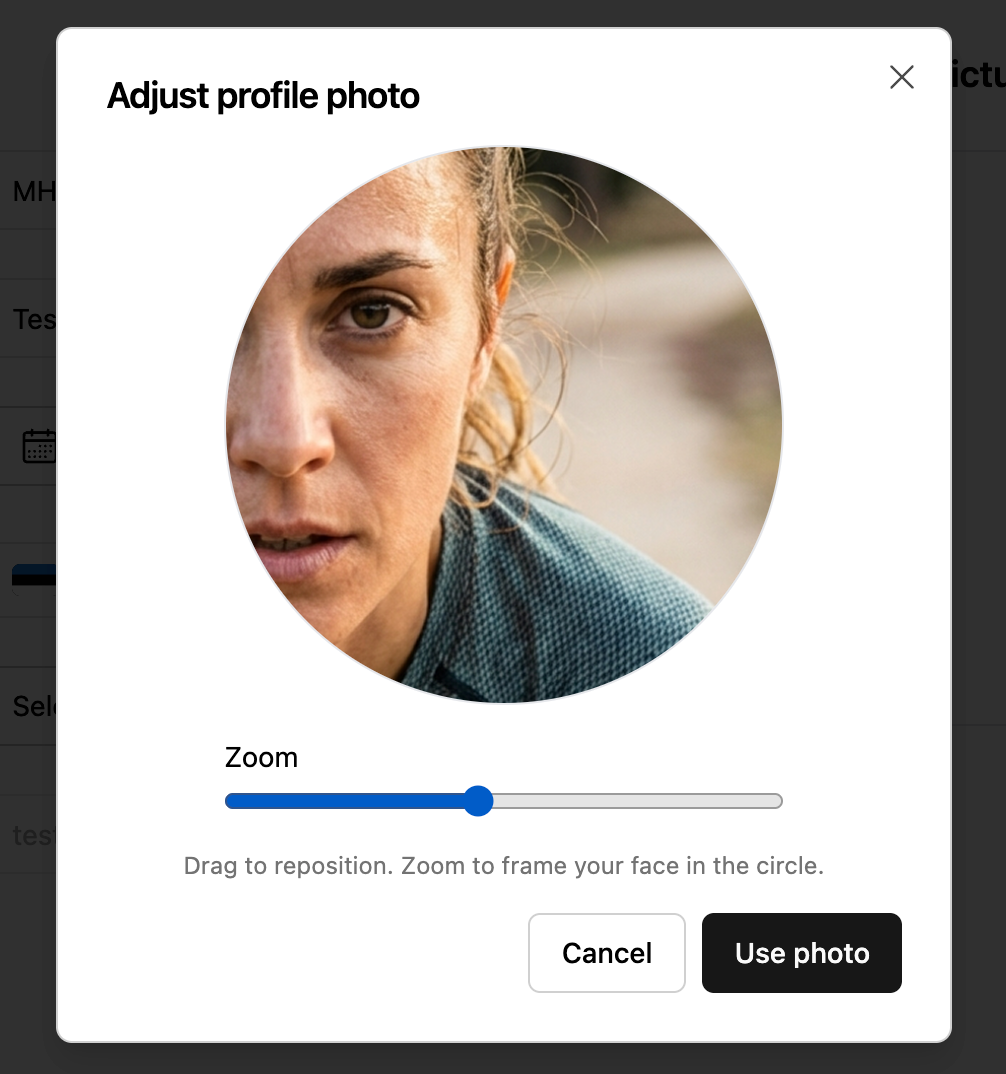
Profile photo upload now has a crop & zoom tool, so you can frame your photo exactly how you want before saving.
Fixed an issue that could block you from saving a lab result when your max heart rate changed but you didn’t want to update your HR zones.